

Most conversations about a document capture workflow start too late. They begin at storage, or worse, at retrieval, when someone is already frustrated and asking why a file can’t be found, trusted, or understood. But the reality is quieter than that, and frankly more inconvenient. By the time a document reaches Salesforce, SharePoint, or any other system, the outcome is already decided. The structure, the accuracy, even the usefulness of that document was determined the moment it was scanned.
And yet, teams continue to treat scanning as a mechanical step rather than a governed one. Paper goes in, a file comes out, and everything in between is left to habit. It seems harmless. It rarely is. What follows is a practical look at where document workflows actually break, and how to fix them before they harden into something expensive to maintain.
Why Storage Feels Like Control (But Isn’t)
It’s easy to believe that once a document is inside a system, it’s under control. That belief is reinforced by clean interfaces and structured folders, by the reassuring presence of records and timestamps. But storage systems organize what they receive. They don’t question it.
If a document is uploaded with the wrong name, it will remain wrong. If it’s attached to the wrong record, it will quietly mislead. If metadata is missing, the system won’t invent it later. And this is where the illusion starts to fray. Because teams often mistake visibility for governance. Seeing a file in Salesforce is not the same as knowing it was captured correctly, routed intentionally, and indexed in a way that will still make sense six months from now.
The gap between those two states is where most operational friction lives.
Where Document Workflows Actually Break
The failure points are not subtle. They’re just normalized.
At the scanner, most environments still rely on some version of scan to desktop, scan to email, or scan and sort later. That last one is the real problem. “Later” tends to mean when someone has time, which usually means when they don’t. So documents sit, or they move forward incomplete.
During human handling, once a document leaves the scanner without structure, people fill the gap. They rename files based on personal logic, decide where something should go, and interpret context that isn’t formally captured anywhere. Sometimes they get it right. Sometimes they don’t. Over time, inconsistency becomes the system.
Before metadata exists, the issue compounds. If metadata is not applied at the moment of capture, it becomes optional. And optional data, in practice, disappears. Without OCR applied consistently, without barcode recognition where appropriate, and without required indexing fields, documents enter your system as flat files. Present, but not particularly useful.
The Cost of Fixing Things Later
There’s a tendency to believe these issues can be corrected downstream. That someone will clean things up. That better training will solve it. That a new system will impose order.
It rarely works that way.
Instead, what happens is accumulation. Small inconsistencies compound into larger ones. Teams spend time searching, renaming, re-uploading, and sometimes rescanning. Compliance becomes harder to prove because the origin of documents is unclear. And automation, which depends on predictable inputs, begins to fail in ways that are difficult to diagnose.
It seems minor at first. Then it isn’t.
What a Functional Document Capture Workflow Looks Like
A workable document capture workflow doesn’t try to fix problems after the fact. It removes the conditions that create them.
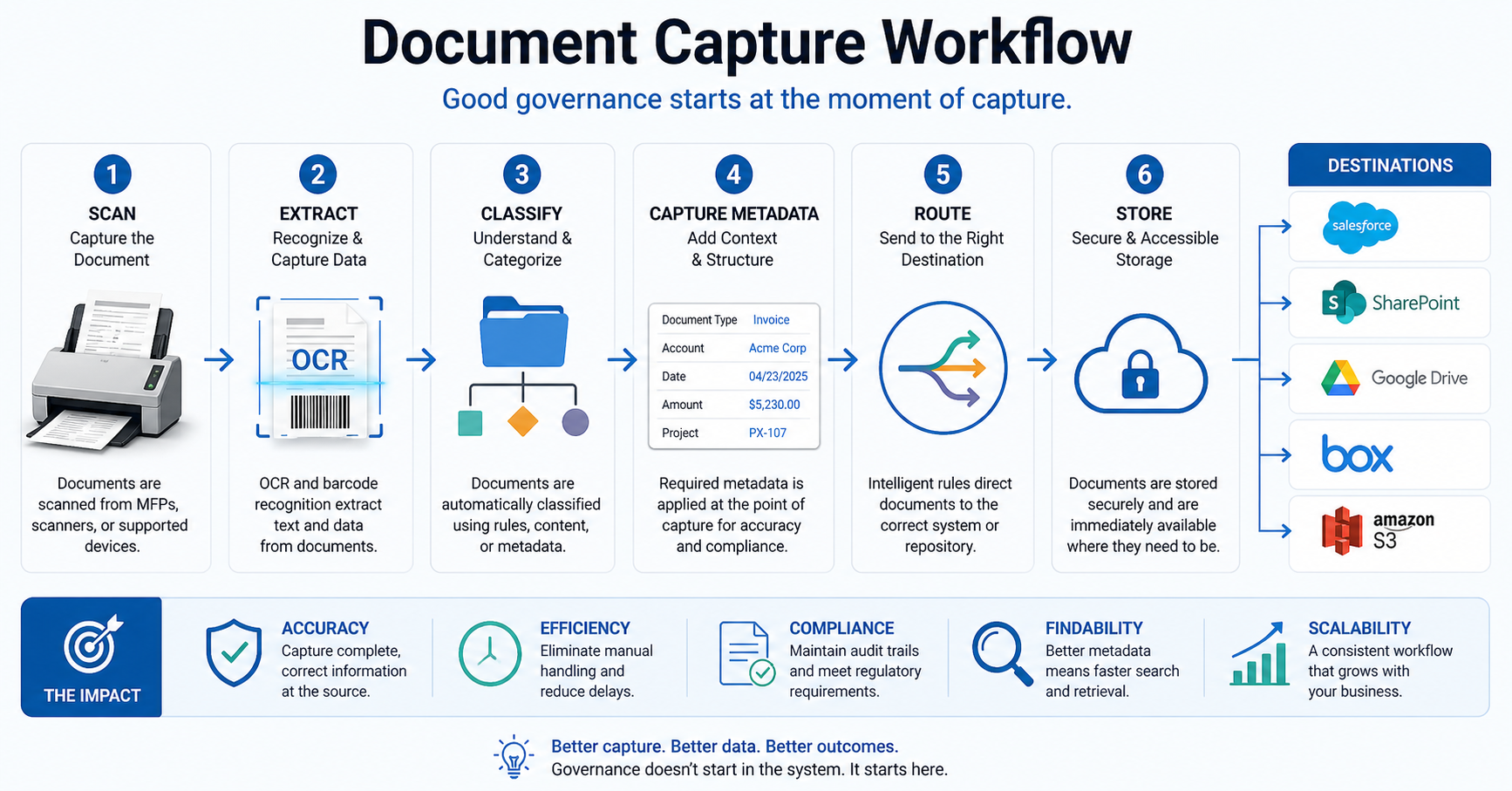
At a minimum, that means shifting structure upstream so that every document is identified at the moment of scan, classified automatically based on content or rules, tagged with required metadata before it enters a system, and routed directly to its destination without manual intervention.
The sequence matters more than most people expect. Scan, identify using OCR or barcode, classify based on rules, route to the correct destination, and then store within the system. Not scan and hope someone handles the rest.
And yes, this reduces flexibility. That’s the point. Good workflows are slightly restrictive by design because they eliminate ambiguity.
Where ccScan Fits (Without Overcomplicating It)
Tools only matter if they reinforce the right behavior. In this case, the goal is simple: move structure to the moment of capture and remove reliance on manual steps.
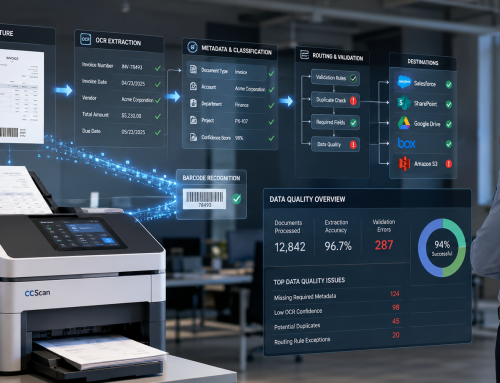
ccScan enables documents to be scanned directly into systems like Salesforce, SharePoint, Google Drive, Box, or Amazon S3, with OCR processing, barcode recognition, and metadata capture happening as part of that initial action. Routing rules are applied automatically, so documents don’t pause on desktops or move through email chains before reaching their destination.
The important shift is not technical. It’s procedural. The workflow becomes consistent because it’s enforced, not because everyone remembers what to do.
What to Fix First (If This Sounds Familiar)
If your current setup feels close to this, you don’t need a full overhaul to start improving it. But you do need to be honest about where things are breaking.
Start by removing scan-to-desktop wherever possible. Standardize how documents are captured across teams. Define required metadata fields and make them unavoidable. Introduce routing rules that eliminate manual distribution. Review intake workflows, not just storage structures.
A simple exercise helps. Take one document type and follow it from paper to final storage. Watch where decisions are made manually, where information is added late, where delays creep in. That path will tell you more than any system diagram.
Final Thoughts
It’s tempting to think document problems begin when something can’t be found. In reality, they begin much earlier, at the moment a document becomes digital. That’s where structure is either applied or lost.
Everything after that is maintenance.
And once you see it clearly, it’s difficult to ignore. Because improving a document capture workflow isn’t about adding more tools. It’s about removing ambiguity at the only point where it can actually be controlled.
If your teams are still scanning, renaming, uploading, and correcting documents manually, the issue isn’t storage. It’s capture. Explore how ccScan helps enforce document workflows from the moment of scan at ccscannow.com