


The Quiet Crisis Hiding in Hospital Basements
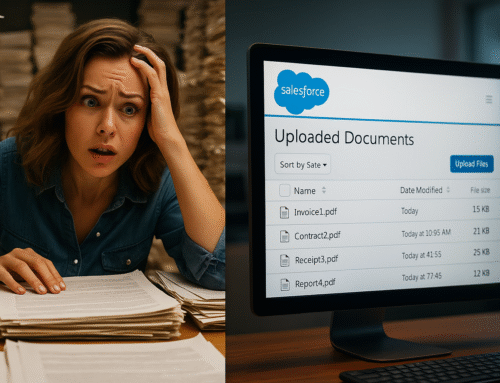
If you walk through almost any hospital—academic, regional, or community—you’ll find the same thing somewhere behind the scenes: rooms full of paper.
Referral packets. Intake forms. Consent documents. Insurance cards. Lab reports. Historical charts. Faxed records that never quite stopped coming. Even in organizations with mature EHR systems, paper still enters the building every single day.
The challenge isn’t digitization itself. Hospitals have been scanning documents for decades.
The real challenge is this:
How do you digitize at scale without introducing HIPAA risk, workflow breakdowns, or operational drag?
This article breaks down what actually works in modern healthcare environments—and what quietly fails—when moving from paper to patient record.
Paper Still Runs the Hospital
Hospital document digitization is never just an “IT cleanup project.” Paper still arrives every day—referrals, consents, intake forms, outside records, insurance cards, faxed lab results that somehow never died. The real problem isn’t scanning. The problem is how documents enter patient records at scale without creating HIPAA risk, misfiles, and audit gaps.
HIPAA expects technical safeguards around access control and audit controls for ePHI (electronic protected health information), and scanning workflows are part of that chain—whether teams treat them that way or not. See the baseline expectations in the HHS HIPAA Security Rule overview.
This guide explains what actually works in real hospital environments—and what quietly breaks—when you’re moving from paper to patient record at volume.
Why Healthcare Scanning Is Different Than “Normal” Enterprise Scanning
Hospitals don’t scan like law firms or corporate finance teams. You have:
-
Many intake points (front desk, HIM, referrals, ED, inpatient units, mailroom)
-
Mixed batches (multiple patients, multiple document types, varying quality)
-
Tight role separation (clinical vs billing vs admin vs HIM)
-
Long lookback windows (audits, legal discovery, payer disputes)
-
Constant exceptions (STAT requests, incomplete packets, outside records)
AHIMA frames this correctly: imaging and document capture are part of the health record lifecycle and governance model, not just an admin task. See AHIMA’s health information governance resources: AHIMA HIG.
Where Traditional Scanning Creates HIPAA Exposure (Even When Everyone Means Well)
Most “legacy scanning” still looks like this:
-
Scan to desktop or shared workstation
-
Save to a folder (local or network drive)
-
Rename/relabel manually
-
Upload to EHR or content system
-
Email internally “just this once” when rushed
Each step introduces human discretion around ePHI handling. The HIPAA Security Rule is explicit about the need for technical safeguards—especially access controls and audit controls—rather than relying purely on process discipline. Reference: HHS Security Rule guidance.
The predictable failure modes
-
Wrong-patient attachments (lookalike names, rushed indexing, split packets)
-
PHI left on endpoints (local machine, downloads folder, temp scan caches)
-
Destination drift (“scan to email,” “scan to personal drive,” “scan to unapproved share”)
-
No defensible audit trail tying scan → user → timestamp → destination → access history
OCR (Office for Civil Rights) enforcement trends consistently emphasize weak safeguards and failures to implement appropriate controls as drivers of incidents and penalties. Start here: OCR Compliance & Enforcement.
The Hard Truth: Training Doesn’t Scale—Workflow Enforcement Does
Hospitals often try to solve scanning risk with training:
-
“Always upload to the right chart”
-
“Don’t store PHI locally”
-
“Double-check patient identifiers”
Training matters, but it’s not an engineering control.
NIST guidance (widely used in healthcare security programs) is clear: administrative controls are not a replacement for technical controls that enforce policy. For HIPAA-specific mapping, see NIST SP 800-66 Rev. 2.
At hospital scale, what works is workflow enforcement:
-
Staff should not freely choose destinations
-
Approved systems should be enforced
-
Metadata should be captured at scan-time
-
Logs should be automatic, not manual
The “Single-Touch Ingestion” Model Hospitals Are Moving Toward
High-performing health systems converge on the same model:
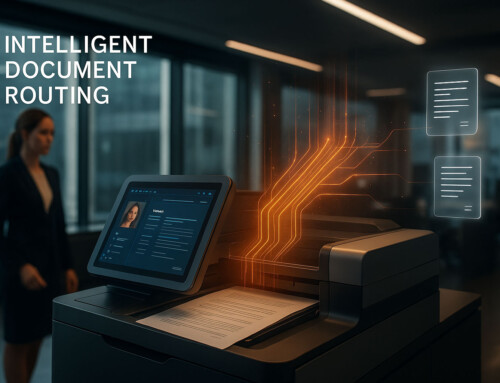
Scan once → route directly → govern automatically.
Instead of “scan, store, then upload,” it becomes:
-
Scan at the point of intake
-
Route directly into an approved system (EHR, governed repository, etc.)
-
Apply metadata/classification immediately
-
Enforce access control and retention downstream
-
Maintain a complete audit trail
This aligns to NIST’s core control families around access control and audit/logging (among others). Reference framework: NIST SP 800-53 Rev. 5.
Approved destinations in real hospital environments
Depending on governance, hospitals commonly route documents to:
-
EHR/document modules
-
Content platforms governed under policy
-
Secure collaboration environments configured with healthcare controls
-
Long-term archive systems
(Your exact destination mix varies; the key is that the destination is enforced.)
HIPAA Compliance Is Traceability + Control, Not Just “Security”
Hospitals often over-index on “encryption” and “secure storage.” Necessary—but not sufficient.
Audit readiness depends on answering, quickly and defensibly:
-
Who scanned it?
-
When?
-
What was it classified as?
-
Where did it go?
-
Who accessed it afterward?
-
Was it modified?
-
What retention rule applies?
HIPAA’s Security Rule includes audit controls as a requirement for systems that contain or process ePHI. HHS background: HHS HIPAA Security Rule.
If your team needs detective work to reconstruct these answers, the workflow is fragile.
What “Digitize at Scale” Actually Means Operationally
Scaling digitization isn’t just higher volume. It’s handling:
-
Batch scanning (multi-patient packets)
-
Low-quality source docs (fax artifacts, skew, faint text)
-
Indexing under time pressure
-
Routing rules that differ by department
-
Peak load events (M&A, backlog conversion, payer audits)
This is where generic scan tools fail: they digitize images, but they don’t enforce governed ingestion.
Where CCScan Fits (Subtly): Orchestration, Not “Just Scanning”
CCScan is most valuable in healthcare when positioned as a document ingestion/orchestration layer: scan → classify → route → log, without adding friction.
Practical outcomes healthcare teams care about:
-
Reduces endpoint handling (less PHI sitting on desktops/workstations)
-
Enforces destination rules (fewer “creative” workarounds)
-
Standardizes ingestion across departments (less variation = fewer incidents)
-
Produces more defensible logging and traceability
For context on CCScan and how it supports scan-to-destination workflows, start at:
A Practical Hospital Rollout Plan (That Doesn’t Disrupt Care)
Hospitals avoid disruption. The safest modernization pattern:
Phase 1: Control the highest-risk intake points
-
Referrals / outside records intake
-
HIM backlogs
-
Front desk registration scanning
Phase 2: Enforce routing + metadata
-
Pre-defined destinations
-
Required index fields (MRN, encounter, document type)
-
Standard naming conventions
Phase 3: Scale across departments
-
Create departmental templates (ED vs outpatient vs specialty clinics)
-
Centralize governance while keeping local workflows simple
This mirrors what HIMSS consistently emphasizes: scalable health IT requires standardization and governance, not just tools. Resource hub: HIMSS Resources.
Final Thoughts: Digitization Is a Patient Safety and Governance Decision
Hospital document digitization fails when it’s treated as “get rid of paper.”
It succeeds when it’s treated as governed ingestion:
-
enforce destinations
-
capture metadata at scan-time
-
remove endpoint PHI handling
-
produce audit-ready logs
-
scale without relying on perfect human behavior
That approach reduces risk, improves record integrity, and holds up under OCR scrutiny. Reference: OCR Enforcement.
If your hospital still relies on desktop scanning, shared drives, manual uploads, or email-based document handling, that’s a signal the ingestion chain isn’t fully governed.
Explore how CCScan supports controlled scan-to-destination workflows.
References
-
HHS HIPAA Security Rule: https://www.hhs.gov/hipaa/for-professionals/security/index.html
-
OCR Compliance & Enforcement: https://www.hhs.gov/hipaa/for-professionals/compliance-enforcement/index.html
-
NIST SP 800-66 Rev. 2: https://csrc.nist.gov/publications/detail/sp/800-66/rev-2/final
-
NIST SP 800-53 Rev. 5: https://csrc.nist.gov/publications/detail/sp/800-53/rev-5/final
-
AHIMA Health Information Governance: https://www.ahima.org/advocacy/health-information-governance/
-
HIMSS Resources: https://www.himss.org/resources